
Our take on Webflow Conf 2026: what Campaigns, Assets and the Sites updates mean for your team, and why Source is worth watching.
One thing that keeps coming up in our conversations with businesses is that they want more control over their website: changing some content, putting a page together and getting it live without having to ask a developer every time.
That's what I had in mind when I looked through the Webflow Conf 2026 announcements. There was a lot about AI, including two new products, Campaigns and Assets. There were also some genuinely useful improvements to Webflow Sites, the platform we use to build and manage client websites today.
If you've seen the news about Source, Webflow's new platform, your existing site isn't being replaced. Webflow has confirmed that Sites will keep receiving investment.
For Spurwing, the priority is a website your team can manage after launch. The Sites updates give us more ways to help with that. Campaigns and Assets are worth a look where they can save you work. Source is worth testing and choosing when it suits the project.
Campaigns brings planning, creation and results together
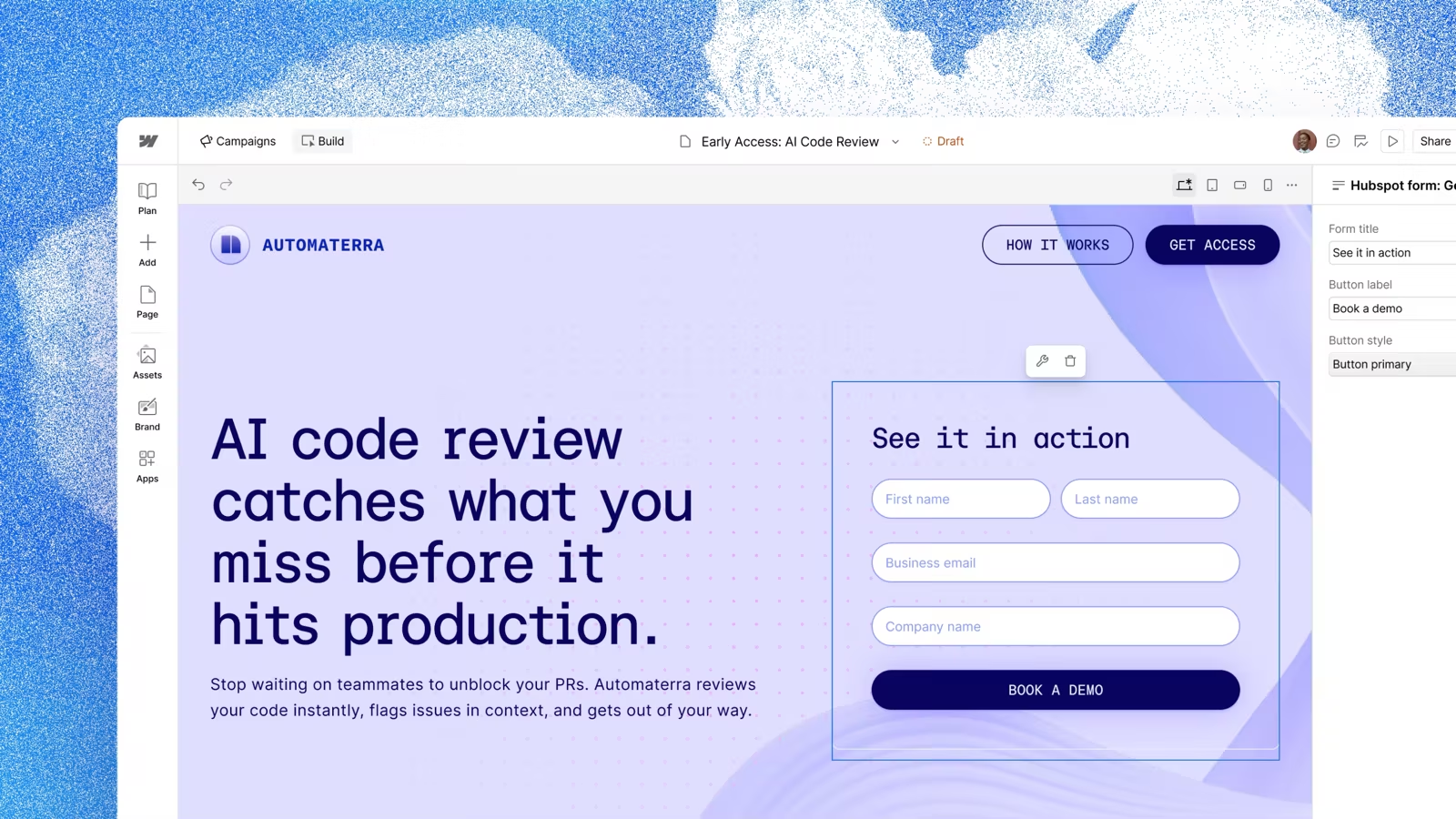
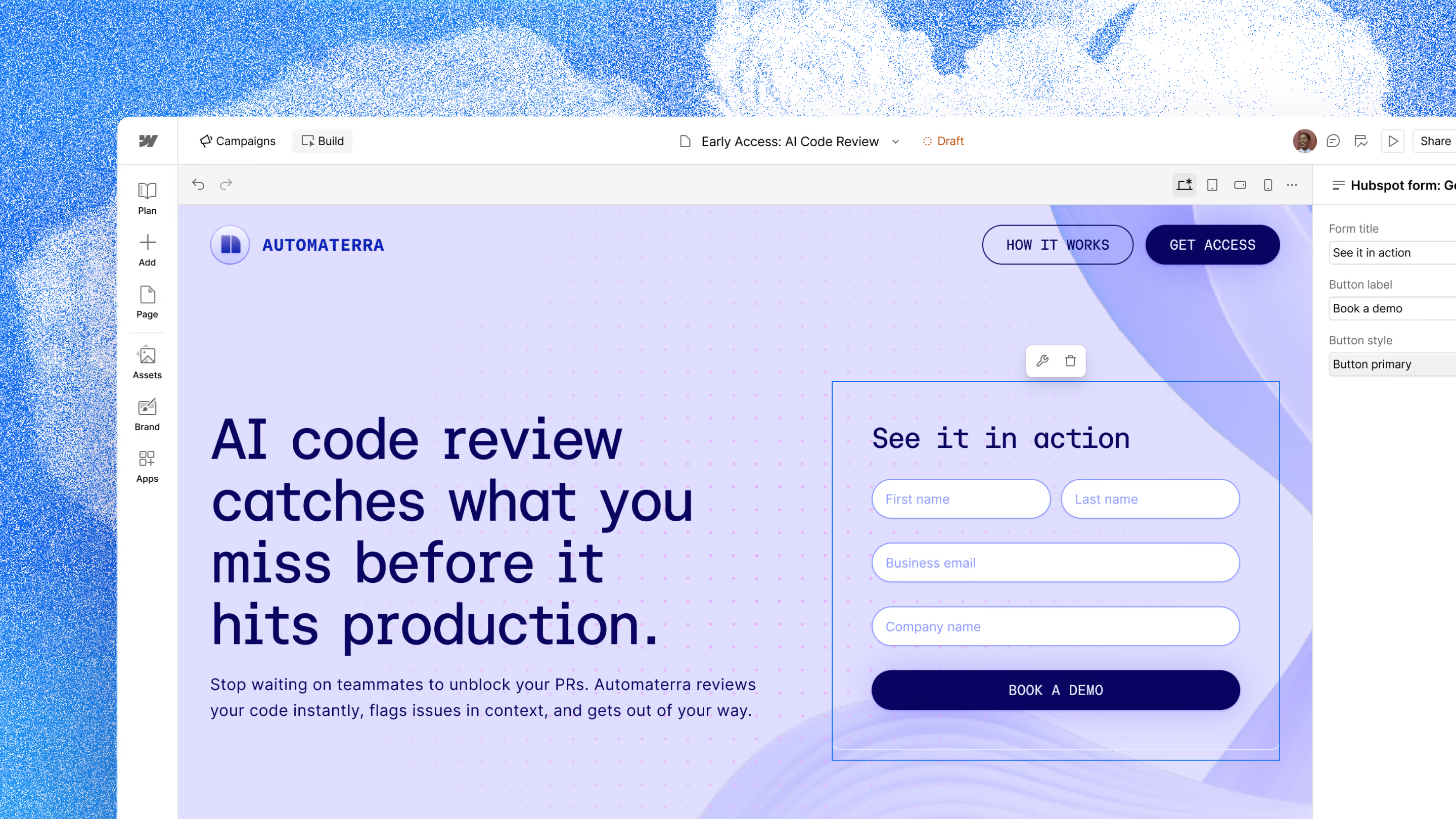
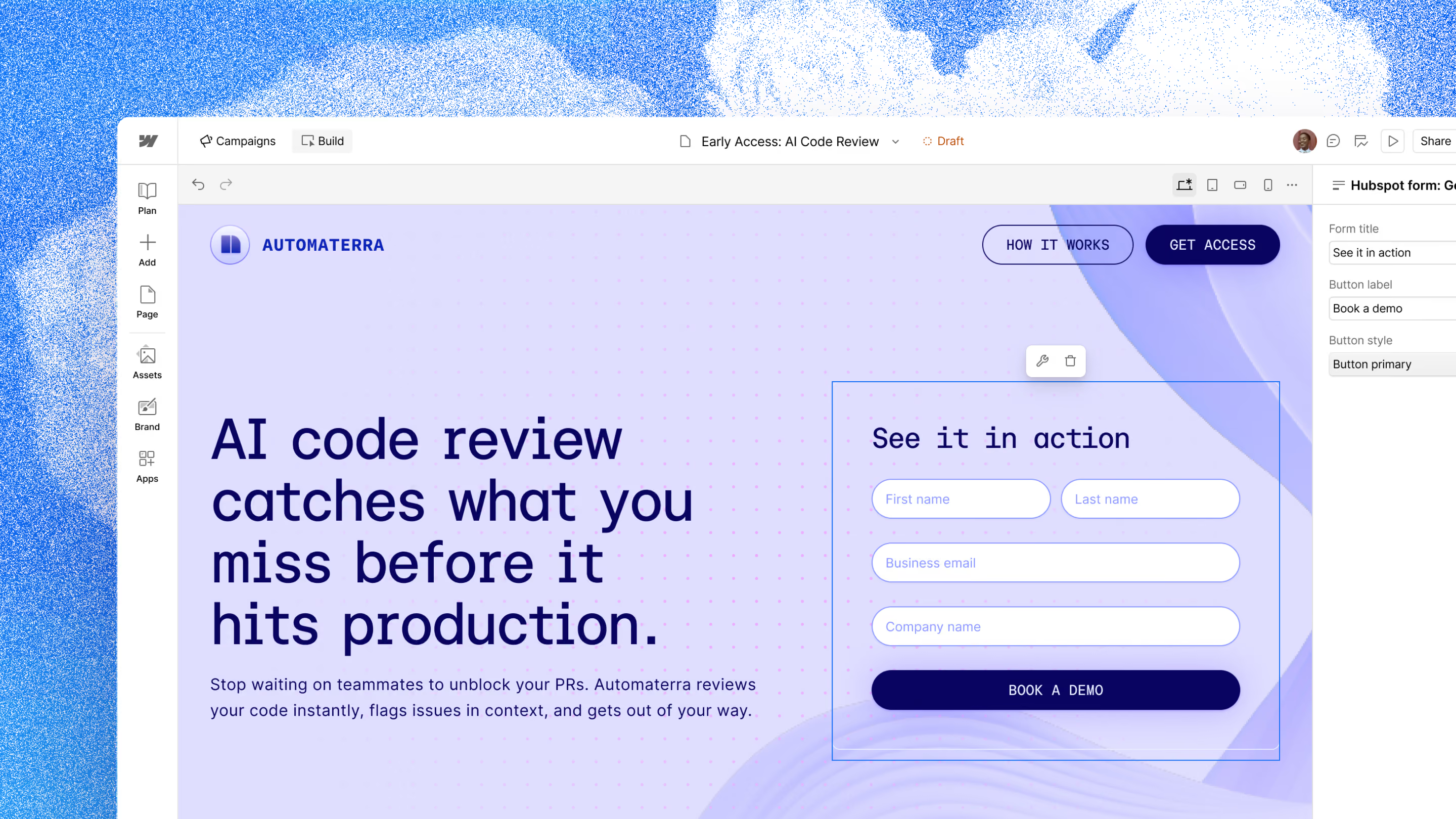
Campaigns brings the brief, landing pages, adverts and results together. In its Campaigns overview, Webflow showed AI agents helping create campaign material and suggesting changes based on performance. Your main website doesn't need to be on Webflow to use it.
I can see the appeal if you promote services regularly. The page is only part of the work. There's copy and creative to prepare, and then someone has to read the results and decide what to change. That last part is what interests me most. Once a campaign is live, knowing what to change is usually harder than getting the first version out.
If you only run the occasional campaign, your existing website may already give you what you need. Campaigns is an option to assess, not something every client should add.
Assets turns approved creative into content for other channels
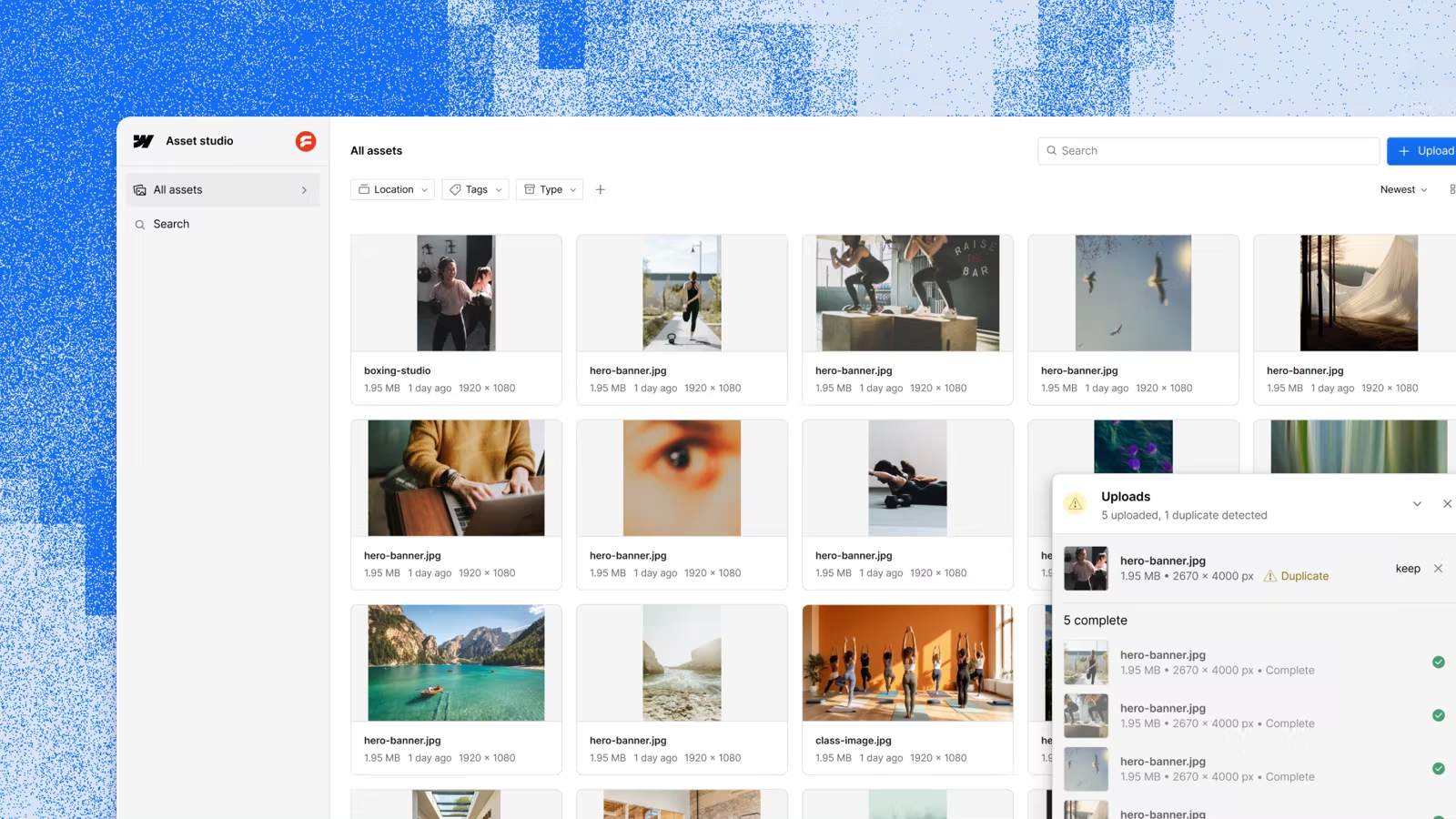
Assets turns approved images and videos into versions for other channels. In its Assets announcement, Webflow described different image formats, shorter video edits and captions, all guided by your brand.
Say you've recorded a customer interview. You've got a good story, but preparing clips for social takes extra time. That's the part Assets is meant to do.
I like this use of AI because it starts from something real that you already have. Someone who knows the business still needs to check the output. A shorter clip has to keep the customer's meaning, and the images need to look like yours.
Before recommending either product, we need to see how it handles a real brief. That includes how much editing it needs and whether it saves your team time.
The Sites updates to prioritise now
For existing clients, these are my priority. They give us more ways to let your team change content and build pages without touching the design.
Add reusable components inside articles and case studies
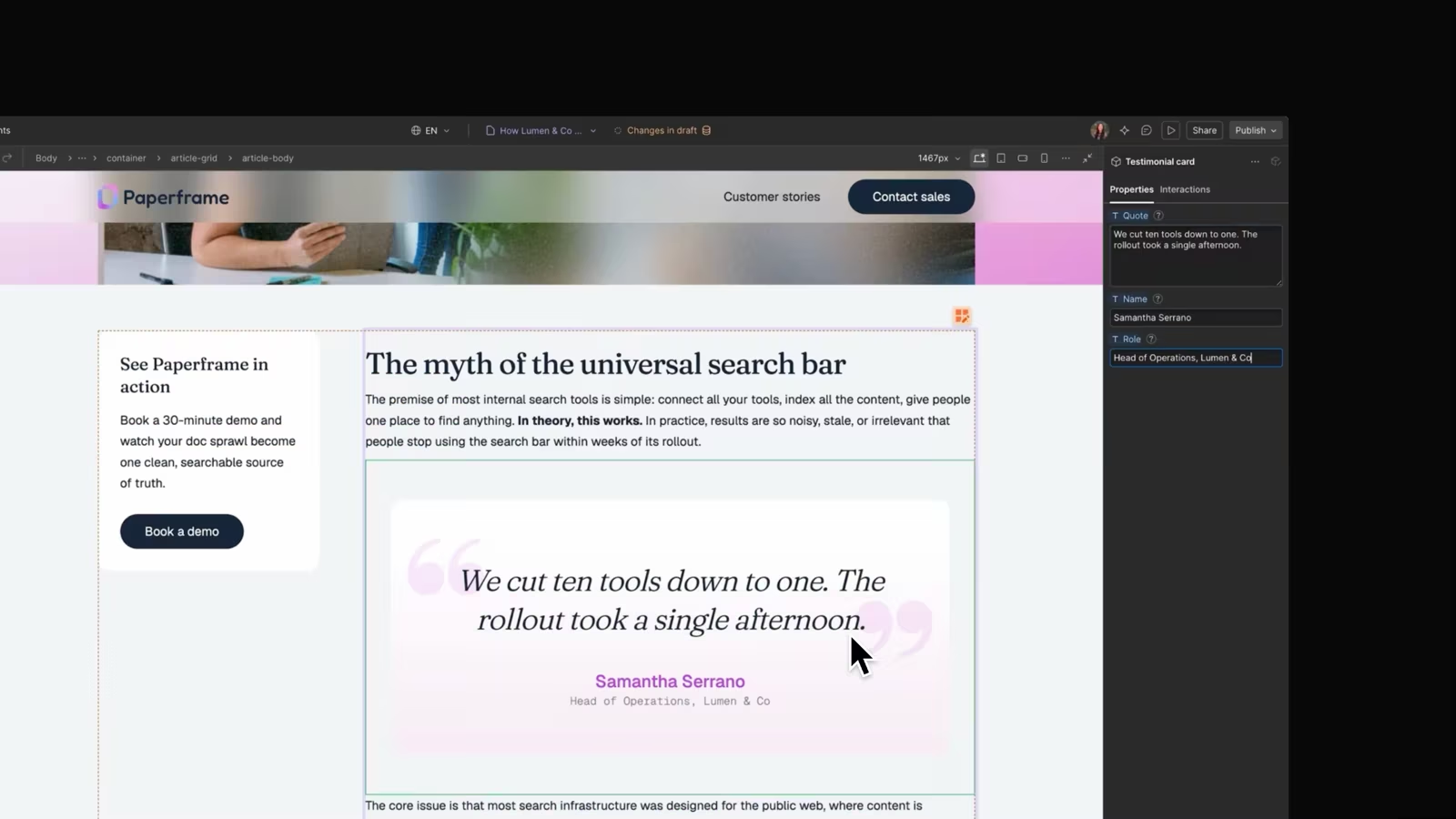
This was one of my favourite announcements. Components inside CMS rich text let us build a designed section that your team drops into an article or case study within the written content.
An enquiry block is a good example. Put it wherever it makes sense in a case study, change the message and the link, and the design stays intact.
We handle the design and set up access. People with Webflow's Marketer role can add and arrange these sections, while content editors can change the options on existing ones but can't add or move them. Webflow's component guidance explains the role differences and current limitations, so we check the design first.
Give your team clear choices without exposing design settings
Webflow also showed ways to control which components your team sees and what can go inside a section. Its Builder keynote explained that further updates will let us give a section a starting layout and offer choices like colour or size.
Your team picks from options that fit the design, with a sensible starting point already there. You keep the flexibility you need without seeing every setting used to build the site.
Clear names and short instructions matter just as much. A new colleague should be able to tell what a section is for without asking whoever built it.
Compare desktop and mobile layouts while editing
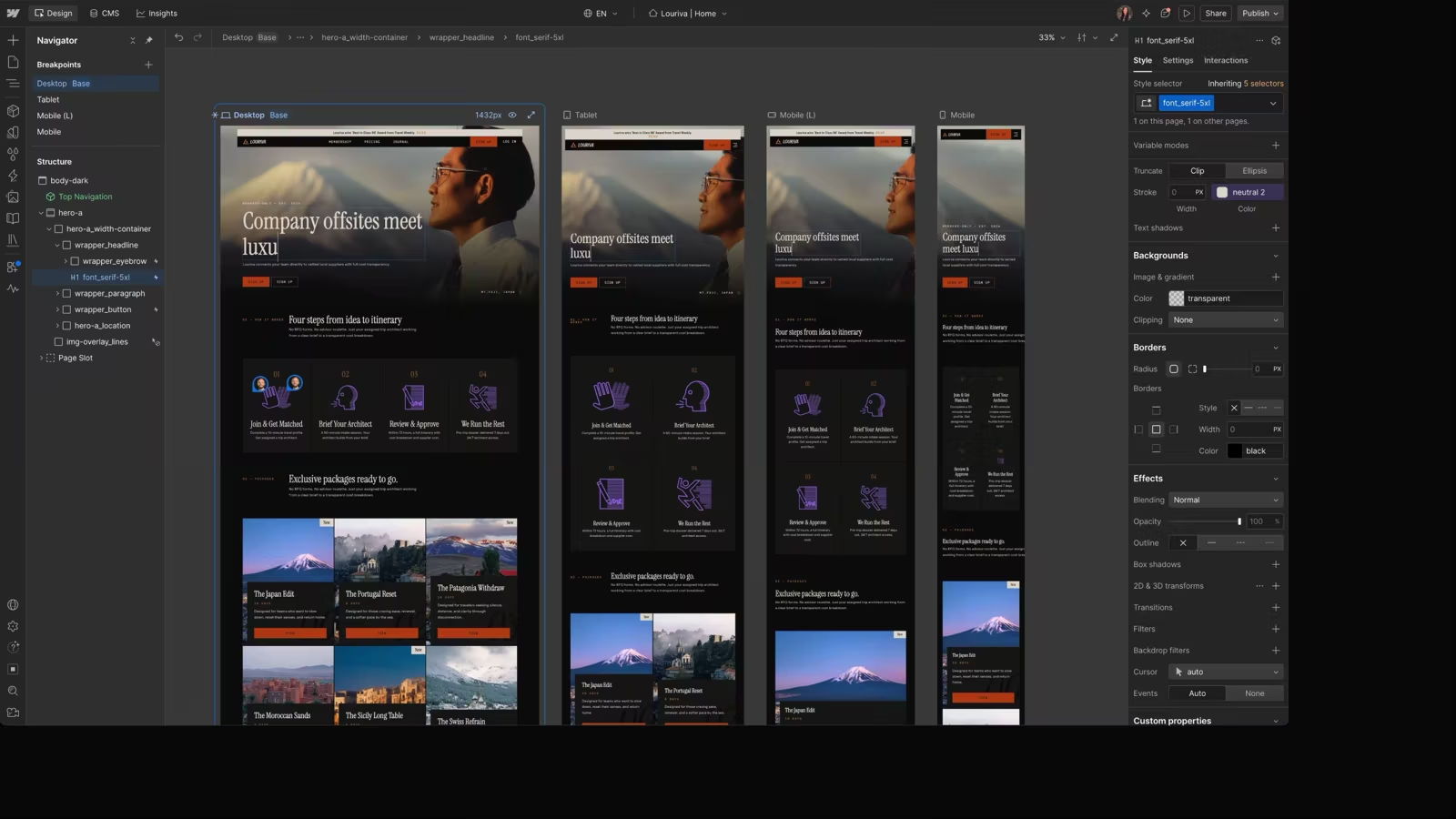
Webflow's breakpoint update shows different screen sizes together, helping you spot a heading or layout that works on desktop but needs attention on mobile.
Webflow's Builder keynote also announced native popovers, with sliders, tabs and accordions on the roadmap. These are useful updates for people building and maintaining your site, but they still need to be set up for how your team will use them.
Why Source is worth testing, but not switching to yet
Source is a different way of building websites. Developers work directly in the code, while visual tools and AI agents let other people work on the same site.
The part that interests me is Views, which lets the editing screen be designed around someone's job. Permissions control what they can change, with approvals for anything that needs checking. Someone who looks after case studies might only see the content and controls for that. A developer works on the same site through its code.
There's an important distinction here. Access to the code gives a developer freedom. Being able to update a page without worrying about breaking it gives a client freedom. Having one doesn't automatically give you the other. Source is trying to do both, which is why it deserves attention.
Webflow introduced Source as a separate platform in limited research preview, with an optional migration from Sites planned for later. That makes it something for us to test, not a reason to move you off a website that works. Before recommending it, we'd need to see your team edit, preview, publish and undo a mistake without us at every step.
What the updates mean for SEO and AI search
Webflow presented tools for answer engine optimisation, or AEO. That's work aimed at getting a business into AI-generated answers, alongside traditional search engine optimisation.
Its AEO content agents look at selected questions and how competitors appear in AI answers, then help prepare briefs and drafts. At the time of our review, Webflow's AEO agent requirements said these tools required Enterprise with Webflow Analyze, so they're not part of every Webflow website.
If that setup isn't for you, there's still plenty to do with the site you have. Clear service information, answers to the questions customers actually ask, and case studies with real detail are where the effort pays off.
Google's guidance on AI search says its existing SEO guidance also applies to AI Overviews and AI Mode. Search engines need to find and read your pages, and the content needs to help the reader. There's no special code for these AI features and no guarantee of appearing in them.
My advice is to use AI to organise what you know and get a draft ready for review. The knowledge has to come from you. That's what makes the content worth reading.
Availability, plan requirements and extra costs
At the time of the Webflow Conf announcements, Campaigns was in closed beta, Assets had a planned beta, and several Sites improvements were still rolling out or on the roadmap. Some announcements involve separate products or higher plans. Others are updates to Sites, so we need to check what is available on your plan.
Before recommending any of it, we check what your plan includes, what costs extra and whether it helps your team. The linked Webflow pages have the latest availability.
How Sites, Source and AI agents could fit together
We'll pick Sites or Source for each project. Source may suit a site that needs more custom code or an editing screen built around a particular job, as long as your team can use it and get support. Newer technology isn't a reason to switch on its own.
I also expect agents to do more inside Webflow Sites. That matters if you like the website you have. There's room for AI to help without asking your team to move anywhere.
Our job at Spurwing is to guide how these tools are used on your site. That means giving agents clear instructions about your brand, the components they should use and where content belongs. It also means setting access so they can't change what they shouldn't. Giving an agent instructions isn't the same as limiting what it can do. We need to decide what it can change, whether it can publish, and how your team checks and undoes its work.
One use I see for this is an agent putting together a service page from your copy and approved components, ready for you to review. Your team should still be able to edit it in Webflow afterwards, rather than asking the agent for every change.
What I recommend you do next
If your team struggles to put a page together, let's look at the components they have. If preparing campaign material eats too much time, that's a reason to assess Campaigns or Assets.
If your team uses AI for website content, agree what information can be shared and who checks the result before it goes live.
Some of these tools will help us do our work for you. Others may be useful to your team directly. You shouldn't need to become an AI specialist for either.
Our advice should make it clear what is worth using, what needs more testing and what your team can already do with the website they have.
If there's something you'd like your team to be able to do on your website, let's talk.
Written following Webflow Conf 2026. Product descriptions and launch status reflect the announcements reviewed on 7 September 2026.
Frequently asked questions
Webflow introduced Campaigns and Assets, announced further improvements to Webflow Sites, and previewed Source, a separate platform that combines code, visual editing and AI-assisted work. Availability varies: some features are in beta, research preview or planned rollout.
No. Webflow has said that Sites will continue to receive investment. Source is worth testing where a project needs more custom code or an editing experience designed around particular roles, but a working Sites build does not need moving just because Source is newer.
Reusable components, CMS content and clearer editing permissions can let a team update approved content and build pages without changing the underlying design. The setup matters: the components, options and access levels need to be designed around what the team should be able to do.
Webflow’s Marketer role can add and arrange approved components in CMS rich text. Content editors can edit the options on components already in place, but cannot add or move them. We set up the component choices and permissions to suit the team using the site.
They are worth assessing if preparing campaign material or adapting approved creative for other channels is taking too much time. They are not essential for every business. The useful test is a real brief: how much editing the output needs, whether it fits the brand and whether it genuinely saves time.
Not automatically. Clear pages that answer real customer questions, accurate service information and detailed case studies remain the foundations. Google says its existing SEO guidance also applies to its AI search features, and there is no special code or guaranteed citation placement.
Lorem ipsum dolor sit amet, consectetur adipiscing elit, sed do eiusmod tempor incididunt ut labore et dolore magna aliqua. Ut enim ad minim veniam, quis nostrud exercitation ullamco laboris nisi ut aliquip ex ea commodo consequat. Duis aute irure dolor in reprehenderit in voluptate velit esse cillum dolore eu fugiat nulla pariatur.
Lorem ipsum dolor sit amet, consectetur adipiscing elit, sed do eiusmod tempor incididunt ut labore et dolore magna aliqua. Ut enim ad minim veniam, quis nostrud exercitation ullamco laboris nisi ut aliquip ex ea commodo consequat. Duis aute irure dolor in reprehenderit in voluptate velit esse cillum dolore eu fugiat nulla pariatur.
Lorem ipsum dolor sit amet, consectetur adipiscing elit, sed do eiusmod tempor incididunt ut labore et dolore magna aliqua. Ut enim ad minim veniam, quis nostrud exercitation ullamco laboris nisi ut aliquip ex ea commodo consequat. Duis aute irure dolor in reprehenderit in voluptate velit esse cillum dolore eu fugiat nulla pariatur.
Lorem ipsum dolor sit amet, consectetur adipiscing elit, sed do eiusmod tempor incididunt ut labore et dolore magna aliqua. Ut enim ad minim veniam, quis nostrud exercitation ullamco laboris nisi ut aliquip ex ea commodo consequat. Duis aute irure dolor in reprehenderit in voluptate velit esse cillum dolore eu fugiat nulla pariatur.
Lorem ipsum dolor sit amet, consectetur adipiscing elit, sed do eiusmod tempor incididunt ut labore et dolore magna aliqua. Ut enim ad minim veniam, quis nostrud exercitation ullamco laboris nisi ut aliquip ex ea commodo consequat. Duis aute irure dolor in reprehenderit in voluptate velit esse cillum dolore eu fugiat nulla pariatur.